Introduction to SAP #
What is an ERP? #
Definition of an ERP #
Before defining SAP itself, it is important to note that it is an enterprise management software package belonging to the ERP family. The acronym ERP stands for Enterprise Resource Planning.
In French, ERP is commonly translated as “Progiciel de Gestion Intégré (PGI)” or “Système Intégré de Gestion de l’entreprise (SIG)”.
ERPs are applications designed to coordinate all of a company’s activities — both vertical activities (such as production and procurement) and horizontal activities (such as marketing, sales, and human resources) — around a single information system.
Purpose of an ERP #
In a context of globalization, corporate mergers, and intense competition, companies seek to increase productivity, efficiency, and profit margins to remain competitive.
Decision-makers therefore need real-time visibility into their company’s overall situation. Since they must make strategic decisions, they require reliable decision-support tools capable of providing accurate information as quickly as possible.
To illustrate this, let’s compare two production companies with identical structures. The first does not use an ERP, and each department relies on its own software. The second company uses an ERP system.
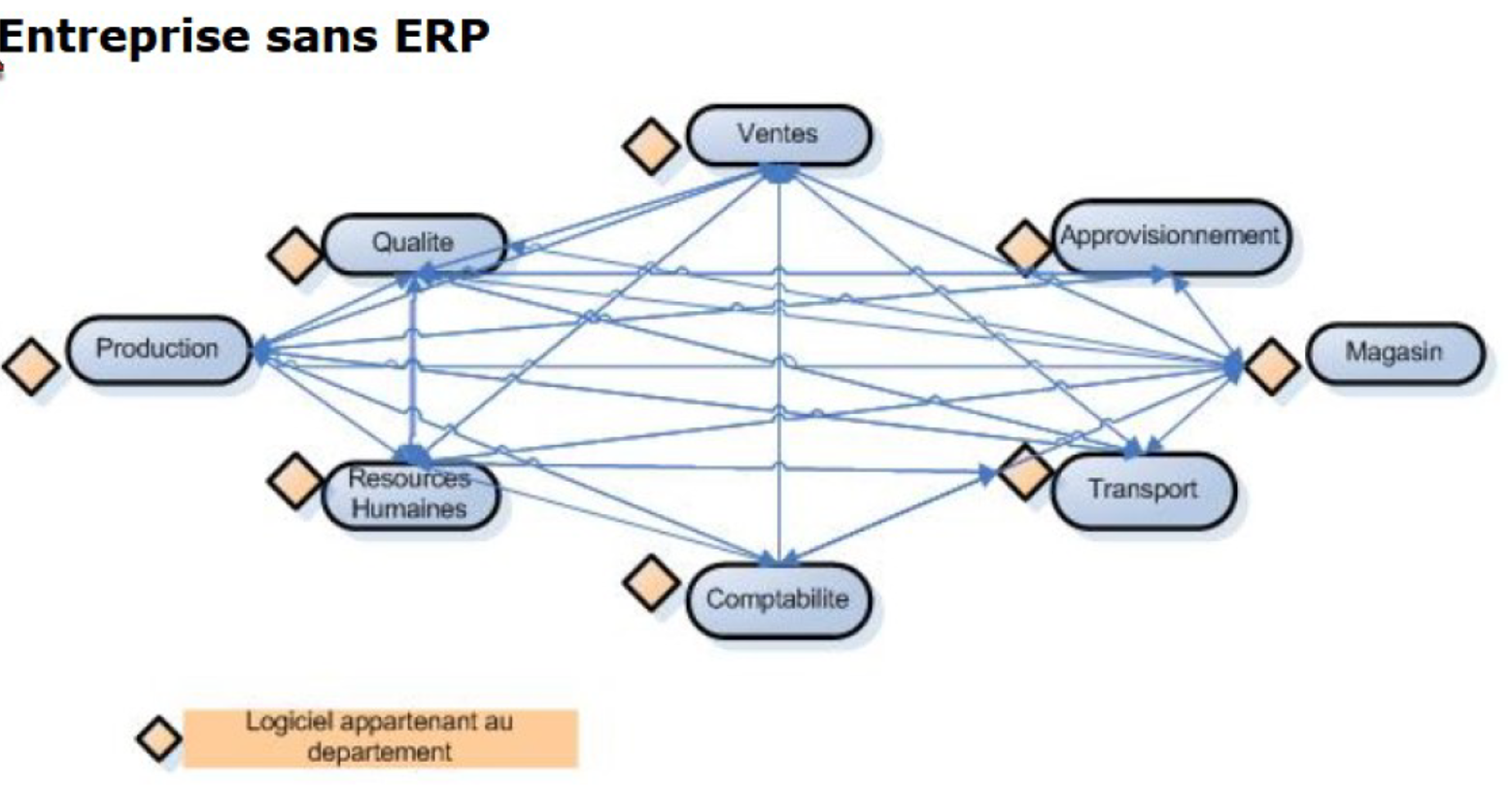
Each department in the non-ERP company uses its own software suited to its needs. Information related to a sales order entered in the Sales Department’s system must be re-entered manually by the Purchasing, Accounting, and Transport departments for delivery.
This operating model has several risks:
-
Data entry errors causing data inconsistencies between departments
-
Outdated information
-
Missing data
-
Redundant data stored multiple times across different systems
Some companies using multiple software solutions have chosen to develop interfaces between systems to exchange data between departments. However, this approach also has drawbacks, such as:
-
Difficulty updating or replacing one department’s system due to its impact on others, and the associated costs
-
Frequent interface malfunctions that are costly and time-consuming to fix
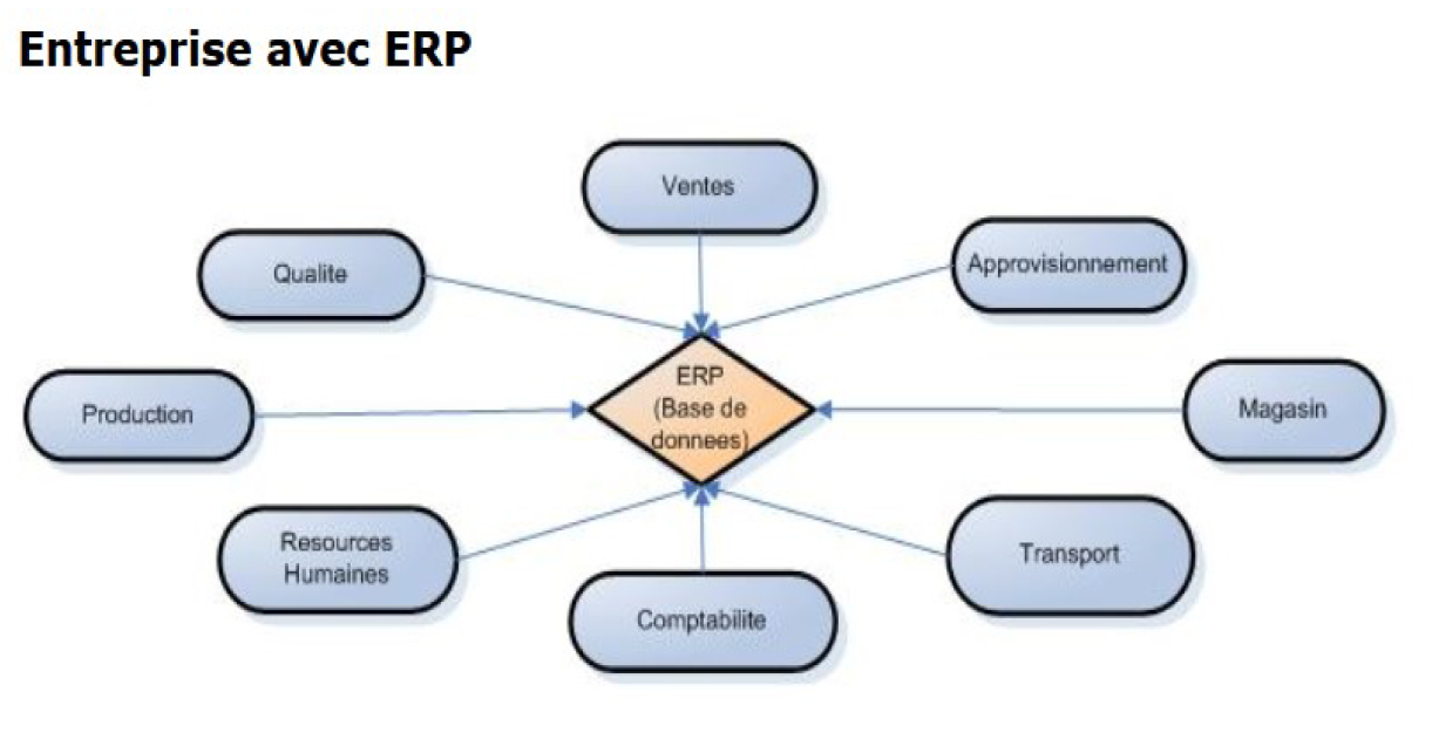
In contrast, a company that uses an ERP benefits from standardized services and centralized information stored in a single database. Information is entered only once (for example, a sales order) and then shared automatically with all departments involved.
In such a system, data redundancy disappears; information is available in real time for all departments, enabling better coordination and improved productivity.
For instance, if a batch of production is found to be non-compliant by the Quality department, it is immediately blocked — and this information is instantly available to all relevant departments (warehouse, inventory, sales, etc.).
Furthermore, financial and logistical reports (such as results, balance sheets, stock evaluations, supplier performance) can be published quickly, since all data is available almost in real time.
All these advantages explain why more and more companies are adopting ERP systems — and within this market, SAP is the most widely used ERP solution today.
Advantages and Disadvantages of an ERP #
Advantages:
-
Integration
-
Transparency
-
Traceability
-
Optimized communication between departments
-
Adoption of best management practices
Disadvantages:
-
Potential job losses due to reorganization and automation
-
High investment costs (financial and human) and implementation complexity
-
Challenging organizational restructuring
-
Lengthy analysis and study phase
-
Difficult technical issues for beginners
Brief History of SAP (From R/2 to S/4HANA) #
SAP (short for Systems, Applications and Products in Data Processing) is the name of the ERP software developed and marketed by SAP AG (Germany).
SAP was founded in 1972 in Walldorf (Bavaria) by five former IBM engineers in Germany. Their goal was to develop a standardized, real-time data management software.
Over time, SAP’s product evolved through several versions and technological platforms:
-> R/1 → R/2 (mainframe architecture)
-> R/3 (client-server architecture, versions 2.1 to 4.6C)
-> R/3 Enterprise (version 4.70)
-> ECC (ERP Central Component) – versions 5.0 and 6.0
-> S/4HANA (from 2015 onward), available in a cloud (SaaS) version: S/4HANA Cloud
S/4HANA #
The “S” stands for Simple, the “4” indicates the fourth generation, and “HANA” refers to the underlying in-memory database technology.
Compared to the previous system SAP ECC, which is still widely used, SAP S/4HANA introduces many innovative functions and a redefined system architecture.
As SAP plans to end mainstream maintenance for ECC by 2027, many companies are preparing to migrate to S/4HANA.
Key benefits of S/4HANA:
-
Improved user interface
-
Increased performance
-
Greater flexibility
ERP Market and Competitors (Oracle, Microsoft Dynamics, etc.) #
The global ERP market revenue is projected to reach $202.28 billion by 2025, up from $148.27 billion in 2021, showing steady growth year over year.
SAP Architecture #
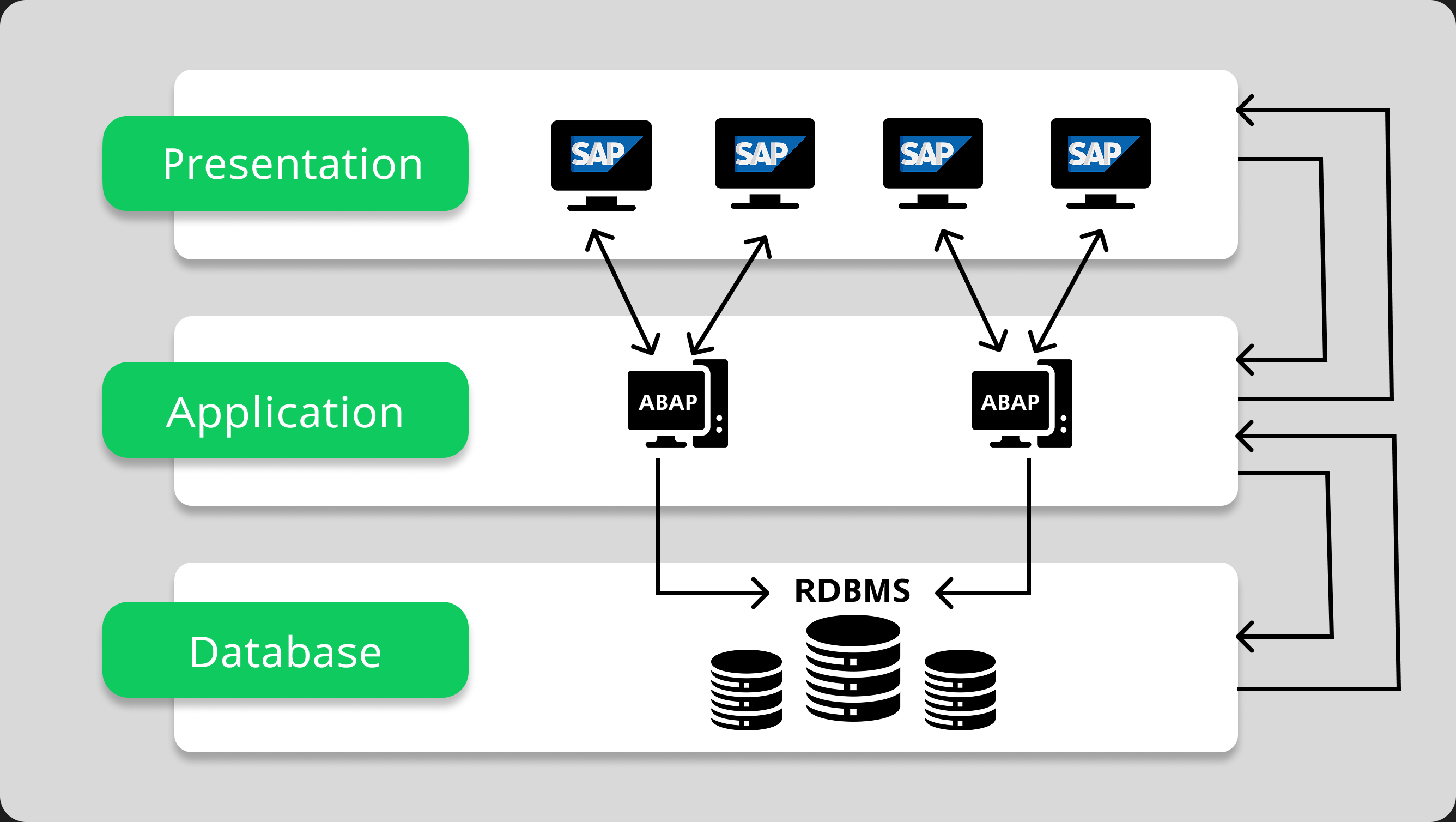
Tier 1: Presentation Layer #
Role:
The interface that interacts directly with the user.
Tools:
Typically SAP GUI (Graphical User Interface) or SAP Fiori (modern web interface).
Functions:
-
Display screens, menus, and forms
-
Accept user input
-
Send requests to the application layer
Example:
When a user enters a sales order, the action starts in the presentation layer.
Tier 2: Application Layer #
Role:
The core of the SAP system.
Functions:
-
Process user requests
-
Execute business logic (calculations, validations, controls)
-
Manage communication between presentation and database layers
This is where SAP transactions (e.g., VA03, FB03) and ABAP programs run.
Tier 3: Database Layer #
Role:
Where all enterprise data is stored.
Functions:
-
Store and organize data (customers, materials, stock, accounting entries)
-
Handle read/write requests from the application layer
Database types: Oracle, SQL Server, DB2, or more recently SAP HANA (in-memory database).
Overview of SAP Modules and Integration #
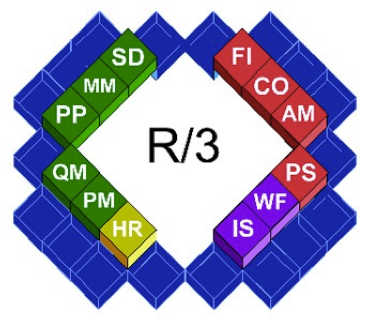
Modules in SAP are functional components representing specific business areas.
They can be grouped into three major families:
-
Finance
-
Logistics
-
Human Resources
Additionally, technical modules exist such as BASIS and ABAP.
Logistics Modules #
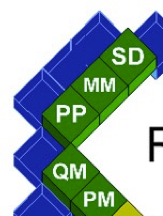
The logistics family covers all services related to company operations (transport, sales, inventory, etc.).
Main modules include:
-
SD (Sales and Distribution): Sales management, shipping, billing
-
MM (Materials Management): Procurement and warehouse management
-
PP (Production Planning): Manufacturing and production scheduling
-
QM (Quality Management): Quality assurance for logistics and production
-
PM (Plant Maintenance): Maintenance of production equipment and services
Finance Modules #
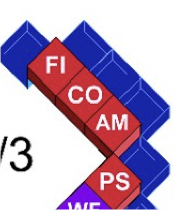
The finance family handles all accounting and financial operations of the enterprise. It ensures financial compliance, tracks cash flow, and analyzes performance.
-
FI (Financial Accounting): General accounting, treasury, and financial statements
-
CO (Controlling): Cost and profitability analysis
-
AM (Asset Management): Management of fixed assets and investments
-
PS (Project System): Planning and management of project-related resources and costs
-
EIS (Executive Information System): Consolidation of key business information for decision-making
HR, ABAP, and BASIS Modules #

This family includes cross-functional and technical components that support the entire SAP system.
-
HR (Human Resources): Personnel administration, payroll, travel expenses, and time management
-
ABAP (Advanced Business Application Programming): Programming language used to develop custom applications within SAP (for developers, not end users)
-
BASIS: System administration functions such as server setup, database management, and performance tuning
Each module is independent (with its own programs, tables, and functions) and can be installed or deactivated based on company needs.
Example of a Simple System #
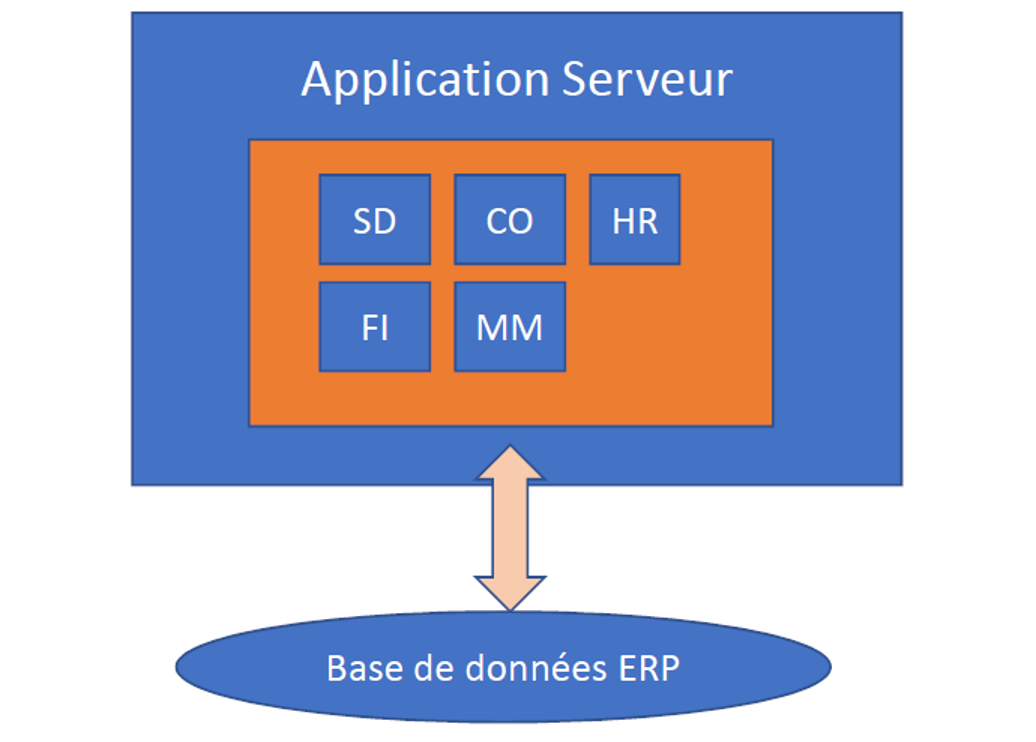
Example of a Complex System #